
|
|
|||||||
| Hardware Support Discussions related to using various hardware setups with SageTV products. Anything relating to capture cards, remotes, infrared receivers/transmitters, system compatibility or other hardware related problems or suggestions should be posted here. |
 |
|
|
Thread Tools | Search this Thread | Display Modes |
|
#1
 12-26-2016, 07:58 AM
|
|||
|
|||
|
Best streaming box to replace HD300's
For the record, I love SageTV and the HD300's, however, we are doing more streaming now using our Amazon Prime membership, so I am looking at ways to only use one device to do it all.
I know about the SageTV miniclient and have that loaded up on the first version of the FireTV from Amazon, however it is laggy. So, what is the best streaming box right now that I can get to Amazon Prime Video's, Youtube and of course SageTV? I know of a few options like the latest FireTV, latest Roku and several AndroidTV devices. But for my needs, I don't know what is the best one to get. Any advice? Also, one thing that I hate is that I have to use different remotes for my FireTV and my HD300. I use a Harmony 600 for my HD300 control but it seems like I can't use it for the FireTV. For any option mentioned above for streaming, what is the best remote to achieve the following: Control TV functions (power, volume), SageTV miniclient functions as well as Amazon Prime Video functions? Is this even possible? I would like to use my current Harmony remotes but would consider other remotes. Thanks for any advice, Chuck
__________________
OS: Windows 10 Pro (64 bit) Motherboard/CPU/RAM: Gigabyte EP43-UD3/Intel Core 2 Quad Q9550 @ 2.83 GHz/8 GB RAM System Drive : Samsung 850 Pro SSD (256 GB) Recording Drive's: 2 x WD WD4001FAEX (4 TB) Tuner's: 2 x Ceton InfiniTV 4's Clients: 3 x Nvidia Shield TV's; Spares: 2 x HD300's SageTV v9.1.2.662 with OpenDCT v0.5.28 Java 1.8.0_111-b14 (32bit) 
|
|
#2
12-26-2016, 08:19 AM
|
||||
|
||||
|
Have you tried the latest MiniClient on the FireTV (release a couple days ago). Is the "lagginess" in the UI rendering or the video playback? Have you tried turning off animations? Are you running SageTV v9 server? Are you running Default UI or Gemstone (or something else). Are you running over WiFi or ethernet?
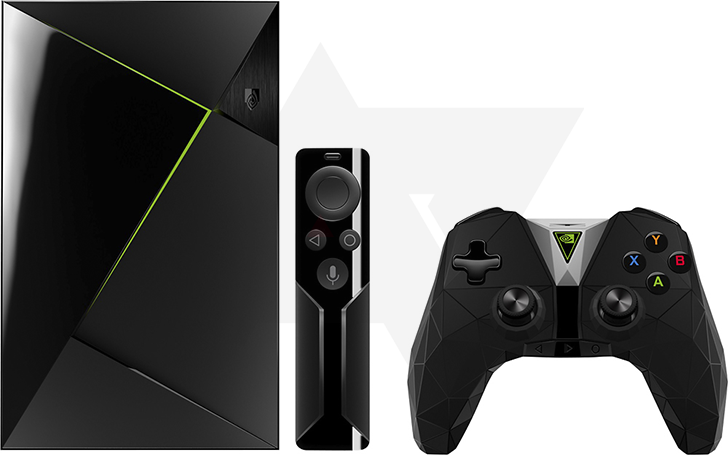
In terms of "best hardware" for streaming, I would say that Shield TV wins. But, there is no Amazon Video app for it (but I did a rumour just this morning that Amazon Video might be coming to Shield TV as well). I have a Mi Box and Shield (both are "official" Android TV boxes) and they both run pretty well, but, I will say that the Shield runs a little smoother. But the price is 149 (Shield) vs (69 MiBox)... Shield also has dedicated ethernet (or you add usb ethernet to MiBox). Another option is to simply use Plex client and then configure Plex server to pull in SageTV recordings... If you have a decent server, then, this might be an option. You won't get commercial skipping, though. As for remotes... You can try FLIRC and see how it works with your Harmony remote. I started out like this... but then I just got used to the "simple remote", and in mnay ways I prefer the "simple remote", but yeah, I'm stuck with 2 remotes... One for controlling tv + volume, and the other for Android TV box.
__________________
Batch Metadata Tools (User Guides) - SageTV App (Android) - SageTV Plex Channel - My Other Android Apps - sagex-api wrappers - Google+ - Phoenix Renamer Downloads SageTV V9 | Android MiniClient
|
|
#3
12-26-2016, 09:20 AM
|
|||||||||
|
|||||||||
|
Thank you for the quick reply stuckless! Replies to your questions below:
Quote:
Quote:
Quote:
Quote:
Quote:
Quote:
Quote:
Quote:
Quote:
A few more items to ask you about: - In the MiniClient after it connects to my server, it says it is a trial program in the upper left hand corner in red text. That goes away once I move it to a different screen, however, when I play the recorded TV, the word TRIAL shows up on the screen. How can I make that go away for good? - Also in the MiniClient, when I go to access my ripped Videos in the Gemstone interface, there is nothing that shows up with I press the Video link and when I go over to select the style of interface to use in the Video link, there are no options. I have this setup right on my server as well as my HD300, however it doesn't work on the MiniClient. Any ideas why? - I bought PlayOn the other day to record my Amazon Prime Video content and wanted to use tmiranda's UPnp (PlayOn) browser so I could integrate that into SageTV. However, when I try to install that app, it failed due to the upnp-support dependancy and the commons-io dependancy not be able to download those two items from sourceforge.net. If I try to install the UPnP Support plugin directly it fails due to not being able to download the commons-io dependancy. When I try to install, actually update it since I have it already installed, it also fails due to not be able to download the zip file from sourcefourge.net. So, I think that is ultimately the issue, however I can download that file from my web browser fine, just not via SageTV plugin interface. I have tried this several times over he course of the last few days and it never downloads. Do you have any idea as to why I am having this issue. Since this is your plugin, I thought you may be able to figure out why. Thanks again for all the help, Chuck
__________________
OS: Windows 10 Pro (64 bit) Motherboard/CPU/RAM: Gigabyte EP43-UD3/Intel Core 2 Quad Q9550 @ 2.83 GHz/8 GB RAM System Drive : Samsung 850 Pro SSD (256 GB) Recording Drive's: 2 x WD WD4001FAEX (4 TB) Tuner's: 2 x Ceton InfiniTV 4's Clients: 3 x Nvidia Shield TV's; Spares: 2 x HD300's SageTV v9.1.2.662 with OpenDCT v0.5.28 Java 1.8.0_111-b14 (32bit)
|
|
#4
12-26-2016, 11:29 AM
|
|||||||
|
|||||||
|
Quote:
Quote:
You can also try going into the MiniClient configuration settings, and there is section of Memory Image Cache... set that to something like 192mb or even larger. Quote:
Quote:
Quote:
Quote:
Quote:
__________________
Batch Metadata Tools (User Guides) - SageTV App (Android) - SageTV Plex Channel - My Other Android Apps - sagex-api wrappers - Google+ - Phoenix Renamer Downloads SageTV V9 | Android MiniClient
|
|
#5
12-26-2016, 11:44 AM
|
|||
|
|||
|
Quote:
So, if I get a Mi Box, the only way to get it on a wired network would to get a USB to Ethernet adapter. If I also want to try the flirc with the Mi Box, then how would that work. Will a USB hub work on the Mi Box and the etherent adapter and flirc still work? So the only way to get the miniclient not to show the trial is to upgrade to v9? Why is that since I have a licensed version of v7? Since I need to upgrade to v9, how can I do that without messing the current HD300's up? What I mean is I don't want to be "down" too long for this upgrade or mess anything up. I don't want to have to setup the HD300's again if I don't have to. I have been avoiding doing the upgrade due to these things. Any advice here is appreciated. Also, do you have any idea about my last question: Quote:
__________________
OS: Windows 10 Pro (64 bit) Motherboard/CPU/RAM: Gigabyte EP43-UD3/Intel Core 2 Quad Q9550 @ 2.83 GHz/8 GB RAM System Drive : Samsung 850 Pro SSD (256 GB) Recording Drive's: 2 x WD WD4001FAEX (4 TB) Tuner's: 2 x Ceton InfiniTV 4's Clients: 3 x Nvidia Shield TV's; Spares: 2 x HD300's SageTV v9.1.2.662 with OpenDCT v0.5.28 Java 1.8.0_111-b14 (32bit)
|
|
#6
12-26-2016, 07:09 PM
|
||||
|
||||
|
Quote:
__________________
Server: Ryzen 2400G with integrated graphics, ASRock X470 Taichi Motherboard, HDMI output to Vizio 1080p LCD, Win10-64Bit (Professional), 16GB RAM Capture Devices (7 tuners): Colossus (x1), HDHR Prime (x2),USBUIRT (multi-zone) Source: Comcast/Xfinity X1 Cable Primary Client: Server Other Clients: (1) HD200, (1) HD300 Retired Equipment: MediaMVP, PVR150 (x2), PVR150MCE, HDHR, HVR-2250, HD-PVR
|
|
#7
12-26-2016, 08:26 PM
|
||||
|
||||
|
Quote:
https://www.amazon.com/gp/product/B0...?ie=UTF8&psc=1 That have been working quite well.
__________________
Buy Fuzzy a beer! (Fuzzy likes beer) unRAID Server: i7-6700, 32GB RAM, Dual 128GB SSD cache and 13TB pool, with SageTVv9, openDCT, Logitech Media Server and Plex Media Server each in Dockers. Sources: HRHR Prime with Charter CableCard. HDHR-US for OTA. Primary Client: HD-300 through XBoxOne in Living Room, Samsung HLT-6189S Other Clients: Mi Box in Master Bedroom, HD-200 in kids room
|
|
#8
12-27-2016, 03:57 AM
|
|||
|
|||
|
Quote:
I guess I will have to go to version 9 first so I can get the miniclient to work right but I am a little worried about upgrading and messing something up and being down a long time. The wife wouldn't like that much. Thanks again, Chuck
__________________
OS: Windows 10 Pro (64 bit) Motherboard/CPU/RAM: Gigabyte EP43-UD3/Intel Core 2 Quad Q9550 @ 2.83 GHz/8 GB RAM System Drive : Samsung 850 Pro SSD (256 GB) Recording Drive's: 2 x WD WD4001FAEX (4 TB) Tuner's: 2 x Ceton InfiniTV 4's Clients: 3 x Nvidia Shield TV's; Spares: 2 x HD300's SageTV v9.1.2.662 with OpenDCT v0.5.28 Java 1.8.0_111-b14 (32bit)
|
|
#9
12-27-2016, 04:51 AM
|
||||
|
||||
|
Quote:
I just did a clean sagetv install, and installed "phoenix-core" which pulls in commons-io, and it worked. This is using SageTV9 and Java 8. If you do try SageTV 9... You can probably just set it up in a different area, and then migrate your V7 wiz.bin database once you have it working.
__________________
Batch Metadata Tools (User Guides) - SageTV App (Android) - SageTV Plex Channel - My Other Android Apps - sagex-api wrappers - Google+ - Phoenix Renamer Downloads SageTV V9 | Android MiniClient
|
|
#10
12-27-2016, 05:12 AM
|
|||
|
|||
|
Quote:
So it sounds like I can do a clean SageTV v9 install separate of v7 and keep v7 running until I have v9 setup the way I want. Is that correct and if so, how do I migrate the wiz.bin, just rename v9's wiz.bin and copy v7 wiz.bin in its place? If I do it that way, will I have to set up the current HD300's again or will they just work with v9? Also, I currently use SageDCT for my 2 Ceton infiniTV cards, will I have to set that up again or will v9 see those since they are already set up with v7? Along those same lines, is there any reason I should go with OpenDCT instead of SageDCT? I have not really looked into changing since I had v7 working with SageDCT, however if there is a reason to change, then it may make sense to do it with I upgrade to v9, any thoughts? Sorry about all the questions, it has been a long time since I changed anything with this server and I am trying to make it simpler if possible. Thanks, Chuck
__________________
OS: Windows 10 Pro (64 bit) Motherboard/CPU/RAM: Gigabyte EP43-UD3/Intel Core 2 Quad Q9550 @ 2.83 GHz/8 GB RAM System Drive : Samsung 850 Pro SSD (256 GB) Recording Drive's: 2 x WD WD4001FAEX (4 TB) Tuner's: 2 x Ceton InfiniTV 4's Clients: 3 x Nvidia Shield TV's; Spares: 2 x HD300's SageTV v9.1.2.662 with OpenDCT v0.5.28 Java 1.8.0_111-b14 (32bit)
|
|
#11
12-27-2016, 06:01 AM
|
||||
|
||||
|
Quote:
 First off, I'm a linux person, and I use SageTV on unRAID (which I think is the best option today for quickly getting sagetv up and running)... But for windows... you could try this.. (I'm not a windows person, so you might want to get some windows people to verify if this good/bad)... First off, I'm a linux person, and I use SageTV on unRAID (which I think is the best option today for quickly getting sagetv up and running)... But for windows... you could try this.. (I'm not a windows person, so you might want to get some windows people to verify if this good/bad)...Option 1... Upgrade in place... - shutdown sagetv server - backup SageTV folders - download the windows installer - install to new location (even on a different machine, doesn't matter) - copy JARs form new location to your "old" location - look int he JARs/ folder and you'll see 2 lucene-core jar files... keep the 3.6.0 and delete the other one. - copy Sage.jar from new location to your "old" location - copy .exe files form the new location to your "old" location - start sagetv Option 2... Migrate... - install sagetv v9 in a new location - configure tuners - test if all is well... - shutdown sagetv - copy clients/ folder from the old to the new - copy wiz.bin from the old to the new - start sagetv - start re-installing all your plugins (web server, gemstone, etc) In both cases, you'll want to make sure you are running AT LEAST Java 1.7... but I recommend Java 1.8, even though, the web server has some issues with Java 1.8... everything is moving to 1.8 eventually. I would plan to do it at some point that you have several hours to work on this... just in case things don't go smooth.
__________________
Batch Metadata Tools (User Guides) - SageTV App (Android) - SageTV Plex Channel - My Other Android Apps - sagex-api wrappers - Google+ - Phoenix Renamer Downloads SageTV V9 | Android MiniClient
|
|
#12
12-27-2016, 06:12 AM
|
|||
|
|||
|
Quote:
Both of these options seem like they would work, especially option 2 but that seems like a little more work. I'm not sure when I will have time to do this however. I have all week off but so does my wife and since I like college football, I have recordings set all this week. So, option 2 may be best since it won't disrupt my v7 version while I still need it. One more question though about Java, can I update to v 1.8 and still use v7? I think I can but I would have to stop the v7 service and then update jave and then restart the service for it to work, is that correct? Thanks again for all your help, Chuck
__________________
OS: Windows 10 Pro (64 bit) Motherboard/CPU/RAM: Gigabyte EP43-UD3/Intel Core 2 Quad Q9550 @ 2.83 GHz/8 GB RAM System Drive : Samsung 850 Pro SSD (256 GB) Recording Drive's: 2 x WD WD4001FAEX (4 TB) Tuner's: 2 x Ceton InfiniTV 4's Clients: 3 x Nvidia Shield TV's; Spares: 2 x HD300's SageTV v9.1.2.662 with OpenDCT v0.5.28 Java 1.8.0_111-b14 (32bit)
|
|
#13
12-27-2016, 06:47 AM
|
||||
|
||||
|
Quote:
__________________
Batch Metadata Tools (User Guides) - SageTV App (Android) - SageTV Plex Channel - My Other Android Apps - sagex-api wrappers - Google+ - Phoenix Renamer Downloads SageTV V9 | Android MiniClient
|
|
#14
12-27-2016, 07:16 AM
|
|||
|
|||
|
Quote:
Thanks, Chuck
__________________
OS: Windows 10 Pro (64 bit) Motherboard/CPU/RAM: Gigabyte EP43-UD3/Intel Core 2 Quad Q9550 @ 2.83 GHz/8 GB RAM System Drive : Samsung 850 Pro SSD (256 GB) Recording Drive's: 2 x WD WD4001FAEX (4 TB) Tuner's: 2 x Ceton InfiniTV 4's Clients: 3 x Nvidia Shield TV's; Spares: 2 x HD300's SageTV v9.1.2.662 with OpenDCT v0.5.28 Java 1.8.0_111-b14 (32bit)
|
|
#16
12-27-2016, 10:31 AM
|
|||
|
|||
|
Thanks for the heads up jm9843. I might go that direction.
__________________
OS: Windows 10 Pro (64 bit) Motherboard/CPU/RAM: Gigabyte EP43-UD3/Intel Core 2 Quad Q9550 @ 2.83 GHz/8 GB RAM System Drive : Samsung 850 Pro SSD (256 GB) Recording Drive's: 2 x WD WD4001FAEX (4 TB) Tuner's: 2 x Ceton InfiniTV 4's Clients: 3 x Nvidia Shield TV's; Spares: 2 x HD300's SageTV v9.1.2.662 with OpenDCT v0.5.28 Java 1.8.0_111-b14 (32bit)
|
|
#17
12-27-2016, 10:35 AM
|
|||
|
|||
|
Quote:
After this update, I was also able to download plugins from sourceforge.net, so I don't know if it was related to java or just coincidence. I installed UPnP (PlayOn) Browser by tmiranda to see what options it has but can't seem to find it to be able to use it. I guess I will have to read up on how to use it now. Thanks for all the help, Chuck
__________________
OS: Windows 10 Pro (64 bit) Motherboard/CPU/RAM: Gigabyte EP43-UD3/Intel Core 2 Quad Q9550 @ 2.83 GHz/8 GB RAM System Drive : Samsung 850 Pro SSD (256 GB) Recording Drive's: 2 x WD WD4001FAEX (4 TB) Tuner's: 2 x Ceton InfiniTV 4's Clients: 3 x Nvidia Shield TV's; Spares: 2 x HD300's SageTV v9.1.2.662 with OpenDCT v0.5.28 Java 1.8.0_111-b14 (32bit)
|
|
#18
12-27-2016, 01:18 PM
|
|||
|
|||
|
[QUOTE=crarbo1;597265] ... I guess I will have to go to version 9 first so I can get the miniclient to work right but I am a little worried about upgrading and messing something up and being down a long time. The wife wouldn't like that much ...
To be clear: you don't have to upgrade your v7 server to use the v9 miniclient ...
|
|
#19
12-27-2016, 01:57 PM
|
|||
|
|||
|
[QUOTE=jchiso;597294]
Quote:
Thanks for the info. However, per stuckless 2nd reply above, I need to to get rid of this issue: "In the MiniClient after it connects to my server, it says it is a trial program in the upper left hand corner in red text. That goes away once I move it to a different screen, however, when I play the recorded TV, the word TRIAL shows up on the screen." I do have a valid v7 server license, so I thought this would work, but per his reply, I need to update to v9. Am I misunderstanding something? Any help is appreciated, however, I may play with upgrading anyway, just to get the latest and greatest version. Thanks, Chuck
__________________
OS: Windows 10 Pro (64 bit) Motherboard/CPU/RAM: Gigabyte EP43-UD3/Intel Core 2 Quad Q9550 @ 2.83 GHz/8 GB RAM System Drive : Samsung 850 Pro SSD (256 GB) Recording Drive's: 2 x WD WD4001FAEX (4 TB) Tuner's: 2 x Ceton InfiniTV 4's Clients: 3 x Nvidia Shield TV's; Spares: 2 x HD300's SageTV v9.1.2.662 with OpenDCT v0.5.28 Java 1.8.0_111-b14 (32bit)
|
|
| Currently Active Users Viewing This Thread: 1 (0 members and 1 guests) | |
|
|
 Similar Threads
|
||||
| Thread | Thread Starter | Forum | Replies | Last Post |
| Replace HD300 with client (Best Hardware?) | kcjack | Hardware Support | 0 | 08-05-2012 03:03 AM |
| Anything to replace extenders? | Tommy | General Discussion | 18 | 02-02-2012 12:16 PM |
| HD300 Problems Streaming live tv | nateziemann | SageTV Media Extender | 2 | 09-30-2010 10:29 AM |
| Who is going to replace their HD200 with a HD300? | pvrpenguin | SageTV Media Extender | 50 | 09-24-2010 12:02 PM |
| Replace MVP with HD100 | Ken C | SageTV Media Extender | 4 | 12-04-2008 05:48 PM |






 Linear Mode

